Introduction
Knowing how to evaluate a website helps you judge your own site, or a site a vendor just delivered, without being a developer. It is easy to approve a website because it looks good on the office screen. Then customers open it on a phone, wait for it to load and leave.
This checklist gives you ten plain checks you can run in about an hour. You need a phone, a laptop and a few free tools. For each point, mark it as pass, needs work or fail, and note what you saw.

Before You Evaluate a Website
First, decide what the site must do. For example, a clinic wants bookings, a factory wants quote requests and a shop wants orders. Every check below should come back to that goal.
Then act like a new customer. Use your own phone on mobile data, not office Wi-Fi, and try to complete the main task from the home page. Finally, ask one or two people outside the company to do the same, because you already know where everything is.
This checklist is written for owners and managers. A technical SEO audit goes much deeper into indexing, crawling and keywords.
Read moreSEO Audit: A Step-by-Step Guide for Egyptian BusinessesChecks 1–3: First Impression, Mobile and Speed
1. First Impression and Clarity
Open the home page and look for five seconds. Can a stranger tell what you do, where you work and what to do next? If the main message is a vague slogan or a slider, clarity fails. A clear headline, one main button and real photos usually work better.
2. Evaluate the Website on Mobile
Most of your visitors may arrive on a phone, so check every key page there. Text should be readable without zooming, buttons easy to tap and menus simple to open. Also check that nothing spills off the side of the screen, and that pop-ups are easy to close.
3. Speed
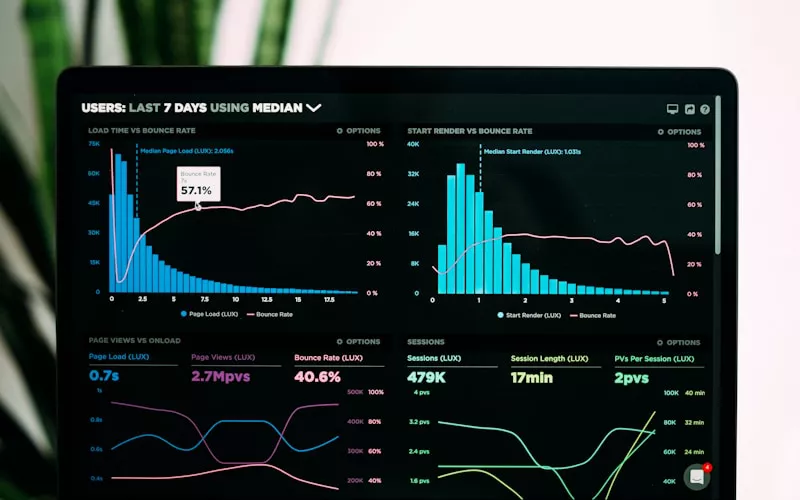
Slow pages lose visitors, especially on mobile data. Test your home page and one inner page with Google's PageSpeed Insights. It reports on mobile and desktop and, where enough real visits exist, shows field data from real users. Our guide to website speed optimization explains the usual fixes.
Checks 4–6: Content, Language and Contact
4. Evaluate Website Content and Trust Signals
Read your pages as a doubtful customer would. Are services described clearly, with real details instead of general claims? In addition, look for trust signals: a real address, a phone number, team or company information, project examples and clear policies. Outdated news, broken images or "coming soon" pages hurt trust quickly. So remove empty sections rather than leaving them half-finished.
5. Arabic and English Quality
If your site is bilingual, check both versions with equal care. The Arabic should read naturally, not like a machine translation, and the layout should flow right to left. Also make sure each page links to its twin in the other language. Our article on bilingual website design covers the common mistakes.
6. Forms, WhatsApp and Contact Details
Send a test message through every form, then confirm that it reaches the right inbox. Tap the phone number and the WhatsApp button on a phone to check that they open correctly. A broken form can lose leads for a long time if nobody tests it after launch.
Checks 7–10: Security, SEO, Access and Analytics
7. Security and HTTPS
Every page should open with https and show no browser warning. Also, ask who updates the software, plugins and backups, and when they last did it. If nobody knows, treat that as a fail.
8. Basic SEO
Search for your company name and your main service on Google. Then check that every page has its own title and description, as our guide to title tags and meta descriptions explains. To check one page quickly, use our free SEO checker. It needs no account to see results and runs more than 70 checks, with a score out of 100 and a "fix first" list.
9. Accessibility Basics
A site should work for people with weak eyesight or older phones too. So check text contrast, font size and image descriptions. Try moving through a form with the keyboard only. These basics help every visitor, not only people with disabilities.
10. Analytics and Tracking
Finally, ask whether the site measures anything. A tool such as Google Analytics should be installed, and you should be able to log in yourself. Without data, you cannot know which pages bring enquiries.
How to Evaluate a Website Vendor's Work
The same ten checks work when you receive a new site from a vendor. Run them before the final payment, and share the results in writing. In addition, confirm that you have the admin login, the hosting and domain access and a recent backup. Our checklist for choosing a web design company lists what to agree on before work starts.
Next, sort your findings. Fix anything that blocks enquiries first, such as broken forms or a failing mobile layout. Then handle speed and content, and plan the rest as regular upkeep.
Keep your notes in one simple sheet with three columns: the check, the result and the person responsible. Add the date and a screenshot for each problem, because it makes the fix easier to explain. After the fixes, run the same checks again and compare the two sheets. Over time, this record also shows whether your website is getting better or slowly slipping back.
Read moreWebsite Maintenance: What Your Site Needs Every MonthFrequently Asked Questions
How do I evaluate a website if I am not technical?
Act like a new customer. Open the site on your phone, try to complete the main task and test every form and button. Then use free tools for speed and basic SEO. Write down what passes, needs work or fails.
How often should I evaluate my website?
A quick check every month catches broken forms and outdated content early. A full review is useful after a redesign, a new service or a drop in enquiries. In addition, run the checklist before you pay a vendor for a new site.
What free tools help me check website quality?
PageSpeed Insights shows speed on mobile and desktop. Google Search Console shows how your pages appear in search. Free accessibility checkers can flag missing image descriptions. Your own phone, used on mobile data, is still one of the most honest tests.
How do I evaluate a website design before paying the agency?
Run the ten checks on the staging or live site, and share the results in writing. Also confirm that you have the admin login, the source files, hosting and domain access, and a working backup before the final payment.
Use This Checklist to Evaluate Your Website
Learning how to evaluate a website comes down to ten plain questions: is it clear, does it work on a phone, is it fast, can people trust it, do both languages read well and do the forms reach you? Add security, basic SEO, accessibility and analytics, and you have a fair picture. So run the checklist now, then repeat it after every big change.
If the review shows more than you want to fix alone, our web design and development team can help. Share your findings with us, and we will suggest the fixes and send you a quote.
Check One Page for Free
Run a page through our free SEO checker to get a score out of 100 and a list of what to fix first.
Run the Free Check